Fast Billing
Create orders, add items, apply taxes, accept payments, and close bills quickly during peak restaurant hours.
Smart restaurant POS for Indian food businesses
Dart-POS helps restaurants manage billing, dine-in tables, takeaway orders, kitchen display, menu items, staff, sales, taxes, and multi-outlet operations from one simple system.
Order flows
Dine-in, takeaway, KDS
Control areas
Tables, menus, staff, taxes
Built for
Restaurants, cafes, QSRs
Daily Operations
Dart-POS is designed for restaurant owners who want faster billing, fewer manual mistakes, real-time order tracking, and better control over restaurant operations.
Reduce counter delays during rush hours
Keep billing and kitchen teams aligned
Track orders, sales, taxes, and staff activity
Prepare for single-outlet or multi-outlet growth
Core Features
From fast billing to KOT printing, Dart-POS keeps the daily restaurant workflow structured, fast, and easier to control.
Create orders, add items, apply taxes, accept payments, and close bills quickly during peak restaurant hours.
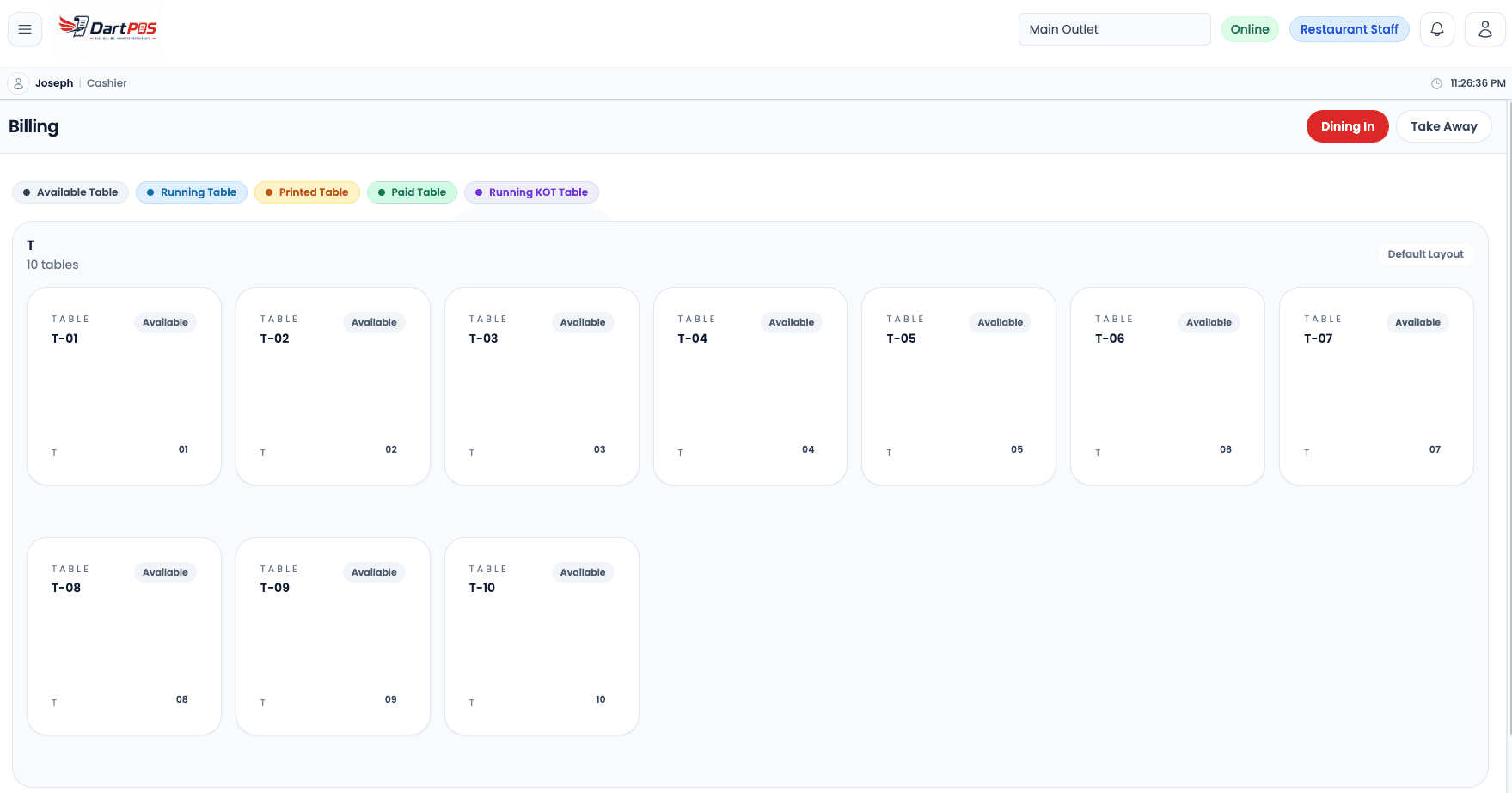
Track running tables, manage occupied seats, add items, transfer tables, and settle dine-in bills from one screen.
Handle parcel orders separately with clean order flow, quick item selection, and cashier-ready bill printing.
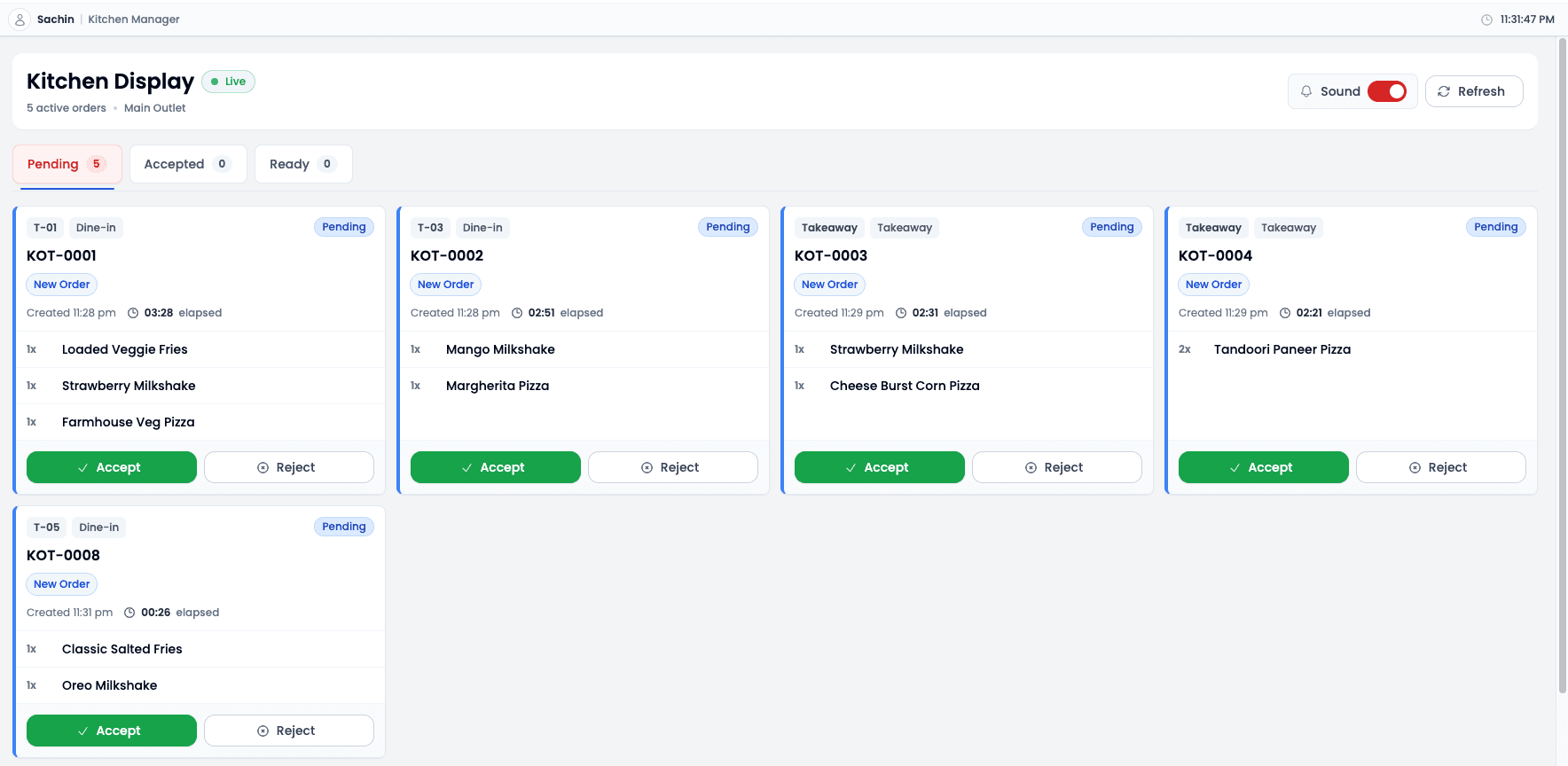
Send orders to kitchen teams in real time so they can accept, prepare, and mark orders ready with less confusion.
Keep billing, kitchen, and service staff aligned with live order status changes across active workflows.
Create categories, food items, prices, variants, taxes, and availability without slowing down daily operations.
Support separate pricing for takeaway, hall, garden, AC, non-AC, and custom restaurant areas.
Manage branches with outlet-wise tables, menus, staff assignments, permissions, and operational data.
Create roles for Owner, Cashier, Waiter, Kitchen Manager, and Admin with access limited to the work they do.
Review completed, cancelled, corrected, and running orders with cleaner visibility for owners and managers.
Understand daily collections, payment methods, taxes, item sales, and restaurant performance from one place.
Keep tax and GST reporting workflows organized for bill generation, summaries, and day-end checks.
Designed for restaurant thermal printing workflows including KOT printing and cashier bill printing.
Built with practical restaurant reliability in mind so core workflows can evolve toward resilient offline-first use.
Dart-POS Demo
Book a focused demo for your restaurant type, outlet count, service style, kitchen process, and billing needs.
Billing + Tables
Manage dine-in tables visually, track running tables, add extra items, transfer tables, correct orders, and generate bills quickly. Dart-POS keeps your billing counter fast and organized.
Kitchen Flow
Send orders directly to the kitchen in real time. Kitchen staff can accept, prepare, and mark orders ready using a clean KDS screen. Reduce confusion between billing counter and kitchen.
Menu Control
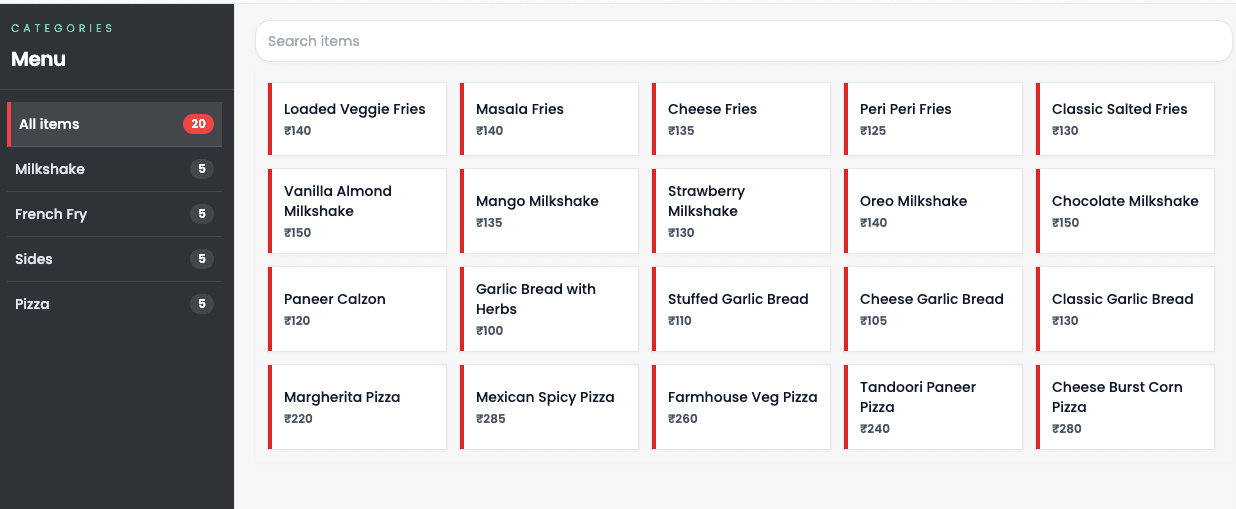
Create categories, items, prices, availability, and outlet-wise menus. Dart-POS supports flexible pricing for takeaway, dine-in areas, hall, garden, AC, non-AC, or custom restaurant areas.
Multi-outlet
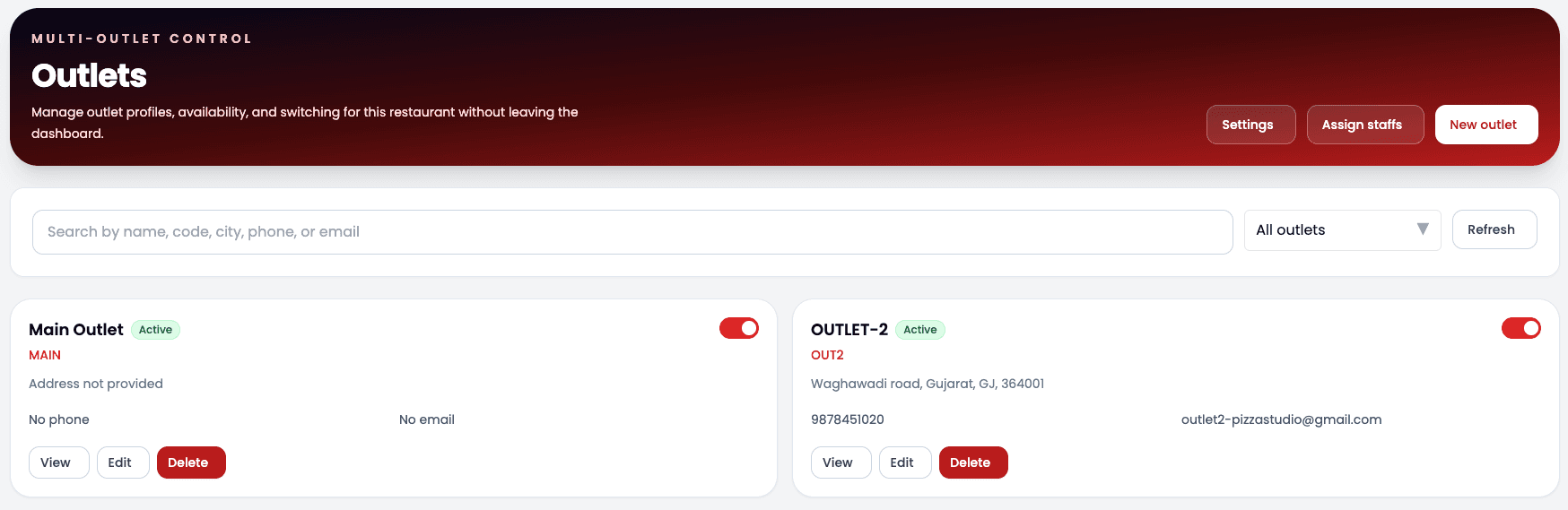
Control multiple outlets from one system. Assign staff to outlets, manage outlet-wise tables, menu, billing, orders, and permissions without mixing data between branches.
People + Control
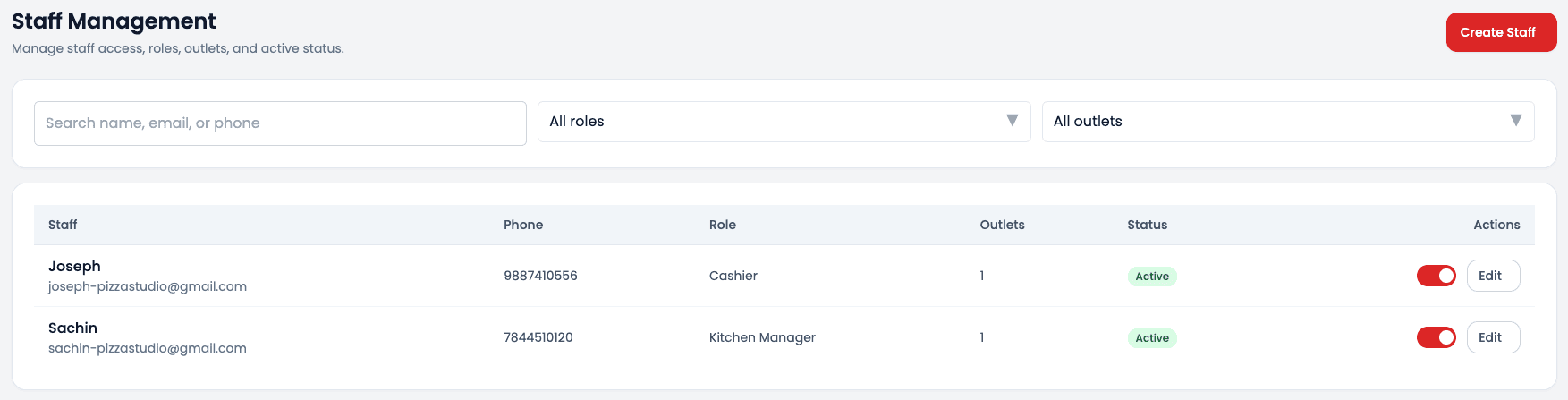
Create roles like Owner, Cashier, Waiter, Kitchen Manager, and Admin. Give every staff member only the access they need.
Owner Visibility
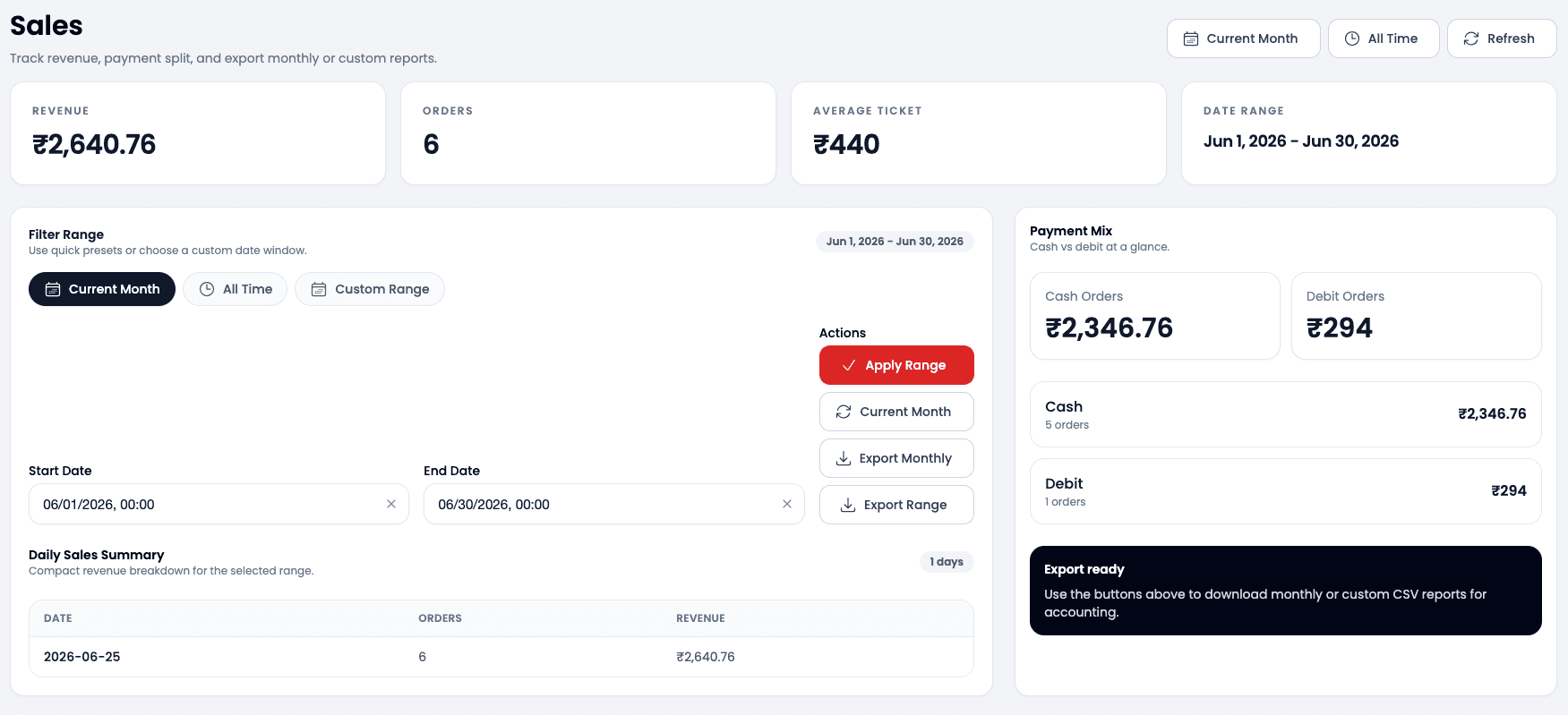
Track order history, sales, taxes, GST reports, payment methods, daily collections, and restaurant performance from one place.
Thermal Printing
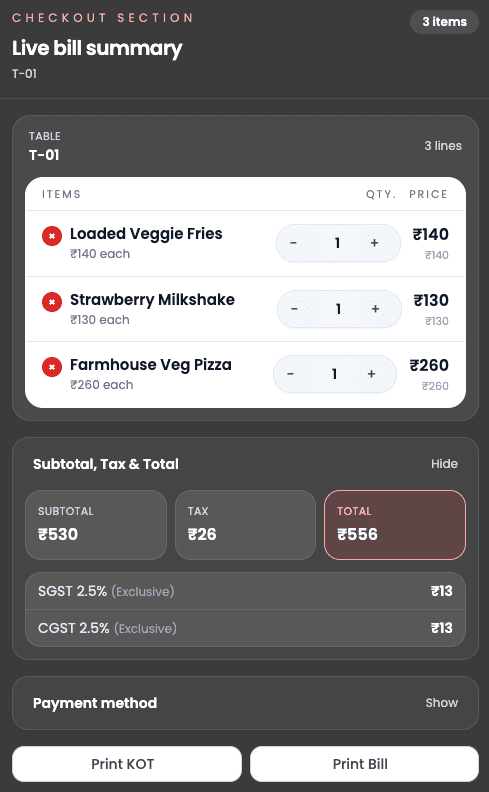
Dart-POS is designed for restaurant thermal printing workflows including KOT printing for kitchen and bill printing for cashier.
Why Dart-POS
Dart-POS focuses on practical restaurant workflows, clear permissions, fast counter work, and owner visibility.
Solutions
Use Dart-POS for fine dine restaurants, cafes, QSRs, cloud kitchens, food courts, takeaway counters, and growing multi-outlet brands.
Visual table tracking, running orders, waiter-friendly workflows, and fast bill settlement for service restaurants.
Quick billing, add-ons, takeaway support, daily sales view, and simple staff permissions for busy cafes.
Speed-focused counter billing, KOT flow, item search, and reports for high-volume QSR counters.
Kitchen-first order visibility, menu control, takeaway workflows, and organized order history for delivery kitchens.
Counter-friendly billing, outlet-wise operations, payment tracking, and simple settlement visibility.
Branch-level menus, staff access, tables, billing, and reporting without mixing outlet data.
Parcel billing, quick item selection, tax-ready bills, and thermal printer support for takeaway counters.
About
Dart-POS is created by a software developer with real restaurant experience. The product is built after understanding real problems faced by restaurants such as high commission platforms, slow billing, kitchen confusion, staff mistakes, and lack of real-time control.
High commission pressure
Slow counter billing
Kitchen confusion
Limited real-time control
FAQ
Straight answers about restaurant billing, KDS, GST reporting, staff permissions, printers, and outlet workflows.
Dart-POS is restaurant POS software built to manage billing, dine-in tables, takeaway orders, kitchen display, menu items, staff roles, sales reports, taxes, and multi-outlet operations.
Yes. The Starter plan is designed for small restaurants and cafes that need fast billing, menu management, order history, and basic reports without unnecessary complexity.
Yes. Dart-POS supports dine-in table workflows and takeaway counter workflows, so teams can handle both service modes from one organized system.
Yes. Dart-POS is built for multi-outlet management with outlet-wise tables, menus, orders, staff access, and permissions.
Yes. Orders can be sent directly to a kitchen display screen where kitchen staff can accept, prepare, and mark orders ready.
Yes. You can create roles such as Owner, Cashier, Waiter, Kitchen Manager, and Admin, then give each person only the access they need.
Yes. Dart-POS is designed to support tax and GST reporting workflows for restaurant billing, daily summaries, and sales review.
Yes. Dart-POS is designed for restaurant thermal printing workflows including KOT printing for kitchens and bill printing for cashiers.
Contact
Tell us about your restaurant, service model, outlet count, and modules you need. The form is ready to connect to an API when the backend is added.